

Saudi Rheumatism Association
Given the Chairman's and Executive Director's interest in the Association's digital transformation, please do the following:
If you have an authorization or letter that requires the Executive Director's signature, please follow these steps:
1 - Please download the attached file entitled “Template” from the following link: Click here You must sign in using the Association's official email address, which can later be configured on your device at your request
2- Copy the text from the approval into the template.
3 - Save the approval document as a PDF and give the file your preferred name.
4 - Please leave two blank lines between the title "Executive General Manager" and the manager's name
5 - Go to the following link and sign in using the credentials sent to you by email: http://signit.sa
6 - Next, please contact Technical Support to obtain your dedicated login code
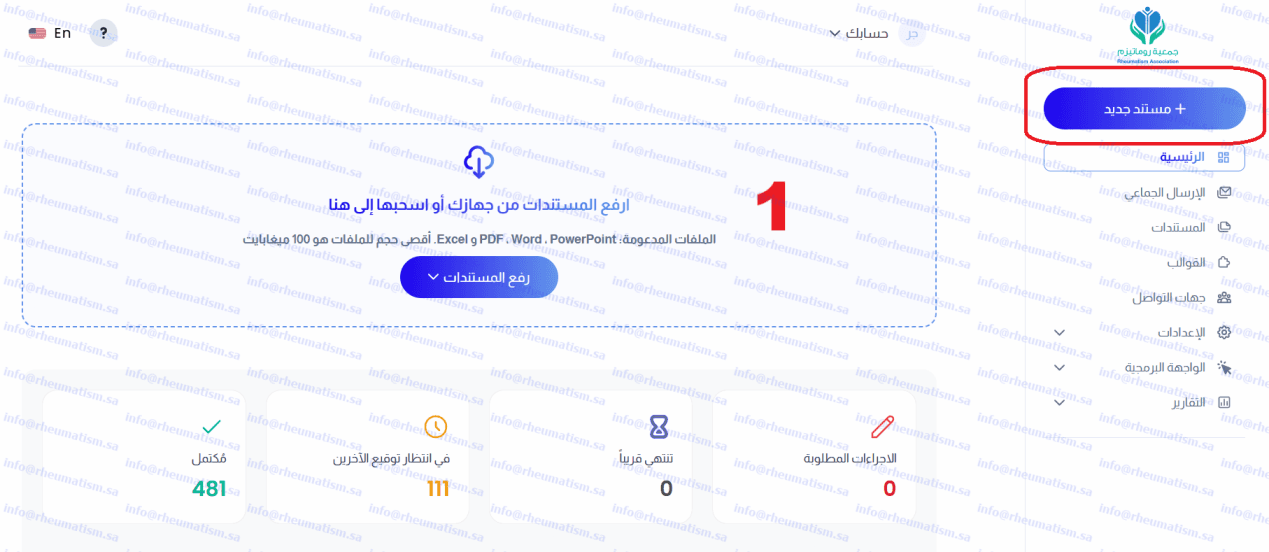
7- Then select "Upload New Document", as shown in the following image:
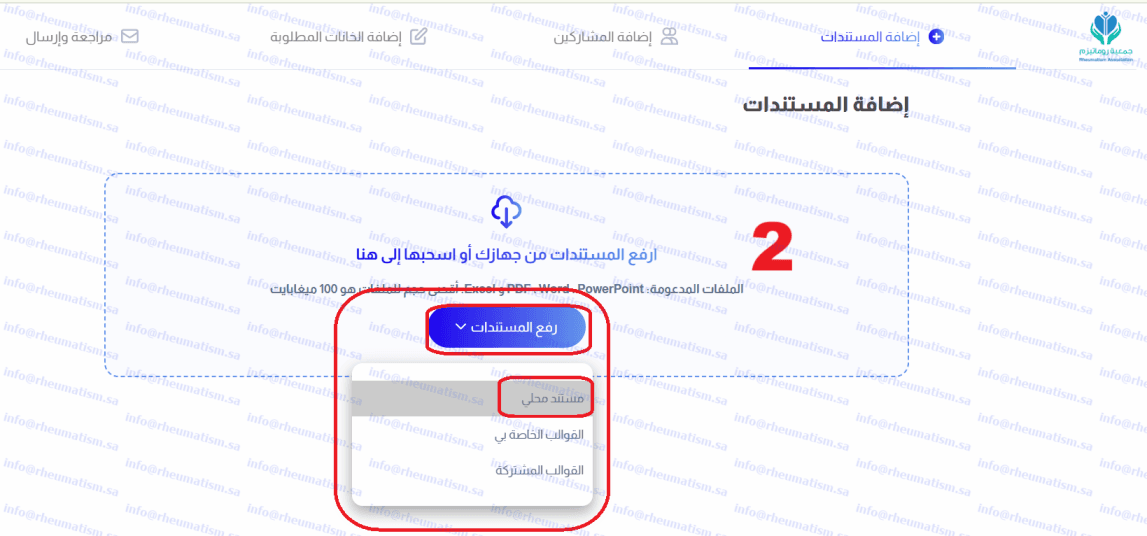
8. Select "Upload documents", then choose a local file.
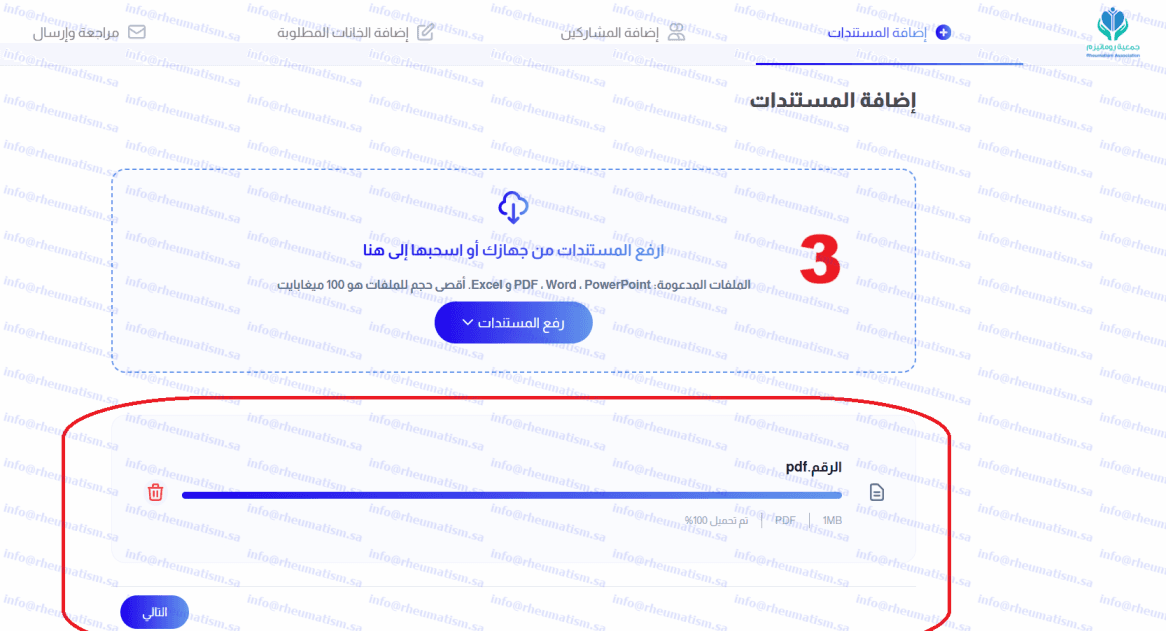
9- Then select the required file from your device
10 - Verify that the correct file is selected, then click "Next" at the bottom
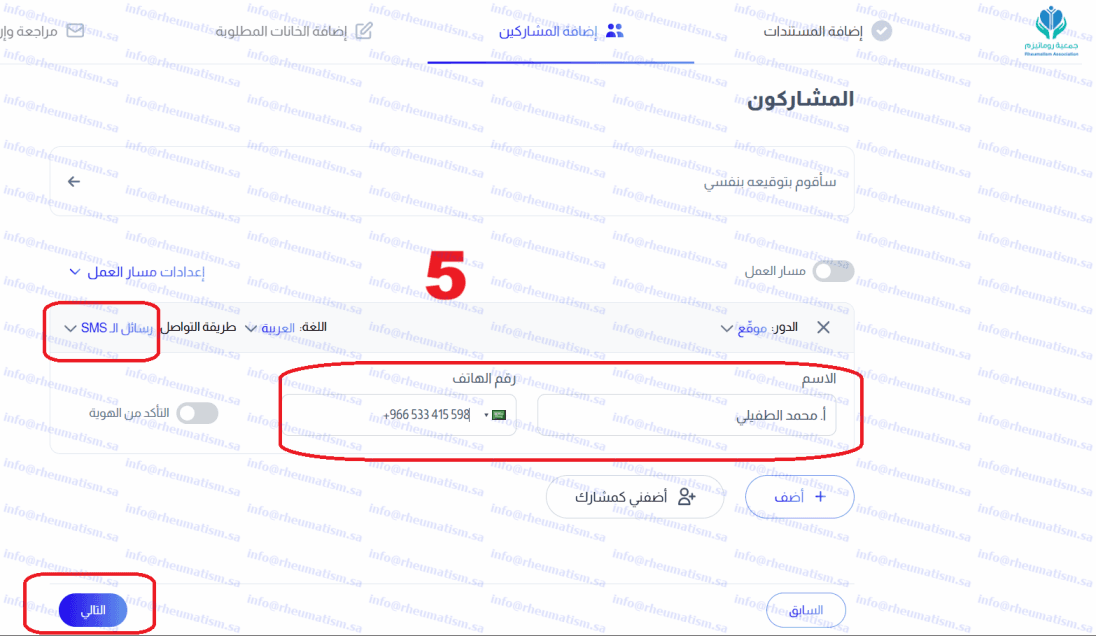
11- Then select the message type: SMS, WhatsApp, or email. Select SMS only.
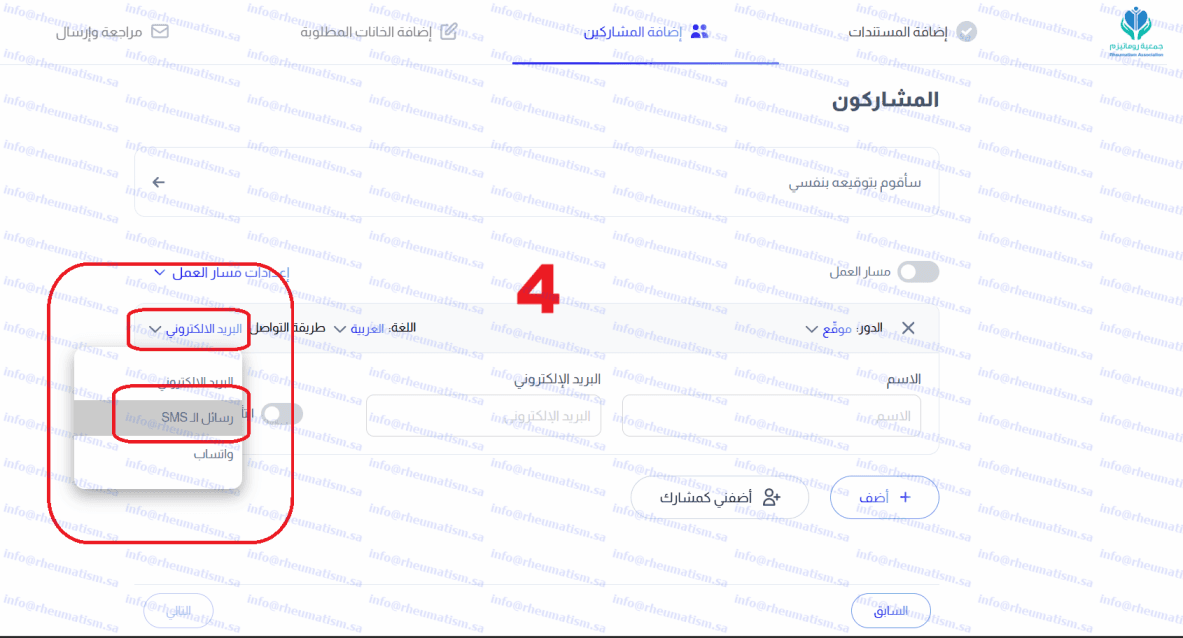
12. Enter the recipient's name - for example, Mr Mohammed - followed by the mobile number without the initial zero. Confirm that SMS is selected, then select "Next".
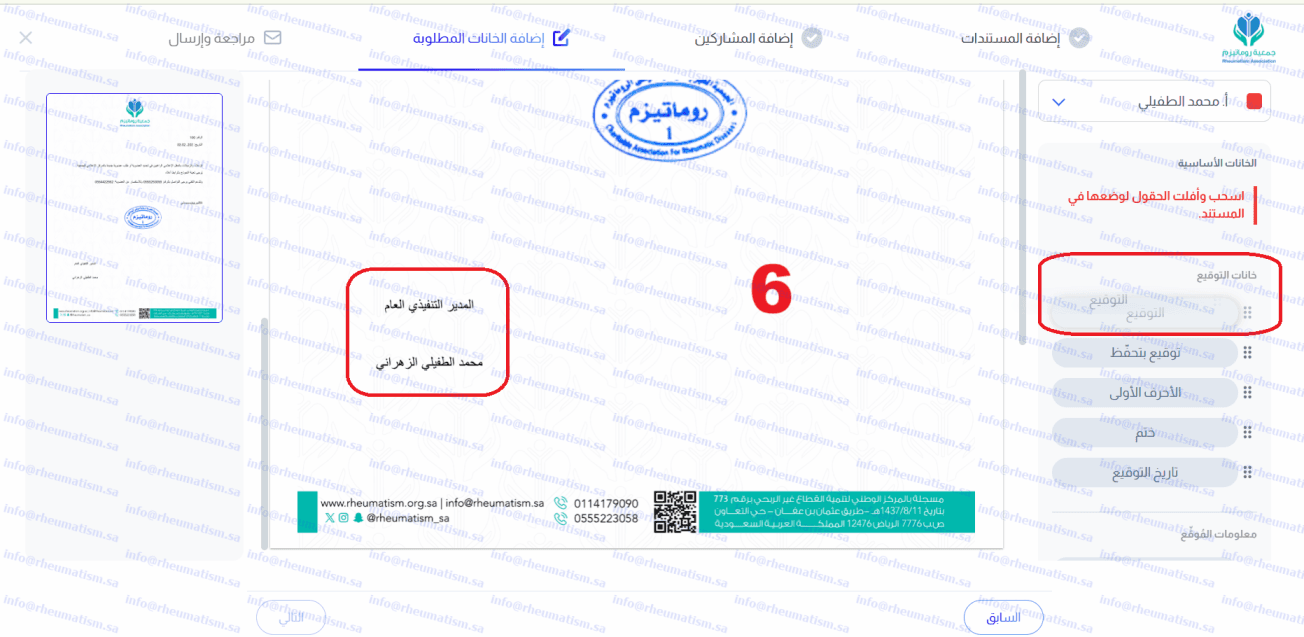
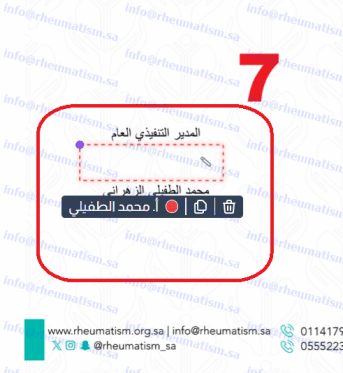
13 - Then click the signature icon, drag it, and place it between the Executive Director's title and the director's name
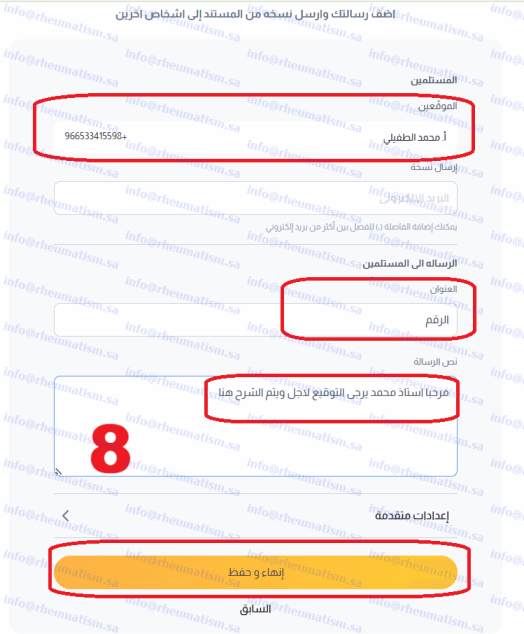
14- Verify the recipient's name and mobile number and the attached file's name, preferably naming it after the authorisation or beneficiary. Then write the message to the recipient, keeping it as concise as possible, and select Finish and Save
15 - A message confirming successful submission will appear. Then click "Go to Document."
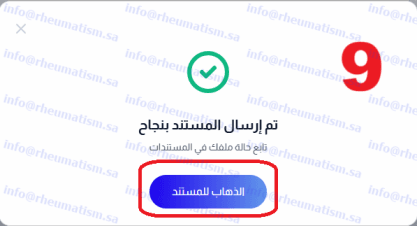
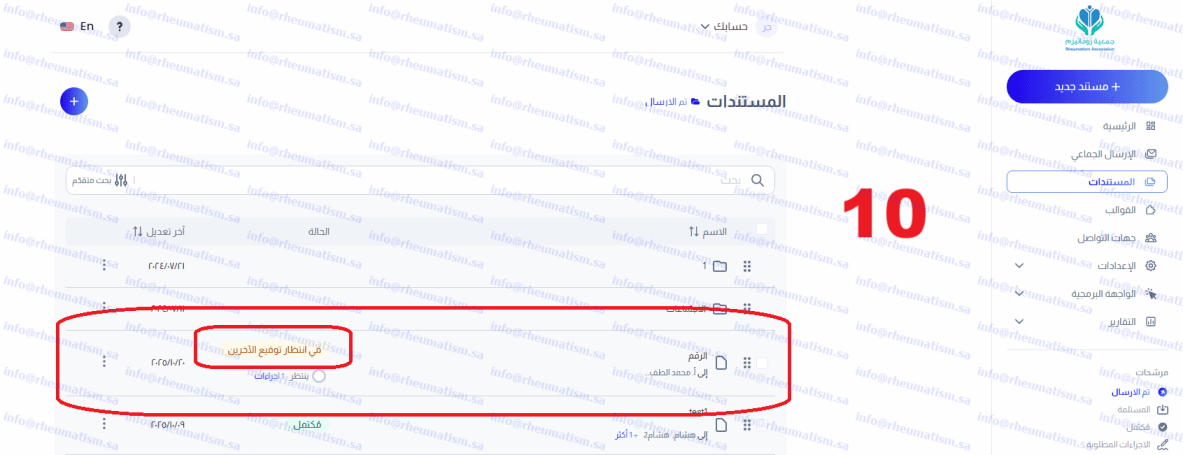
16- The list and the title of your message will appear, with "Awaiting others' signatures" beside it. This means it has not yet been signed
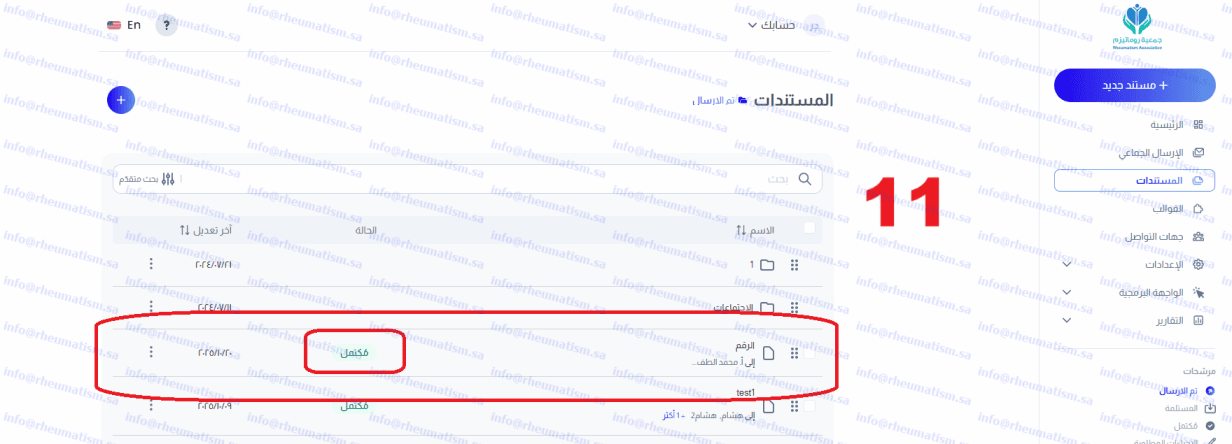
17- Once the recipient has signed, the word 'Completed' will appear. This means that you need to refresh the page after some time.
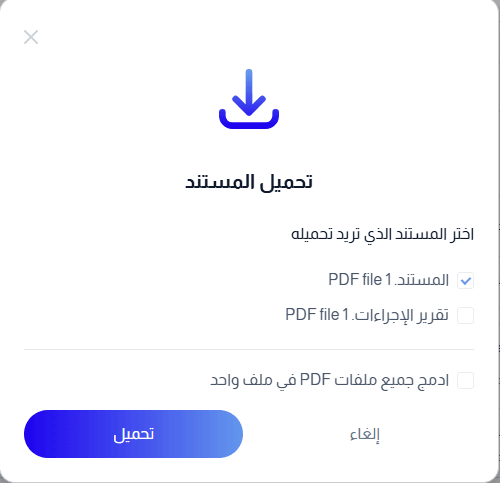 This completes the document-signing process without printing it; Mr. Mohammed can sign it wherever he is.
I am available at any time if you have questions. Thank you for your cooperation.
This completes the document-signing process without printing it; Mr. Mohammed can sign it wherever he is.
I am available at any time if you have questions. Thank you for your cooperation.Published 25 October 2025